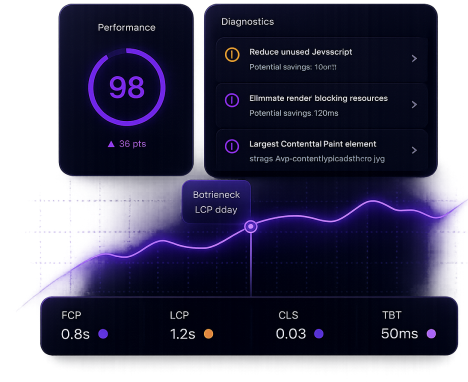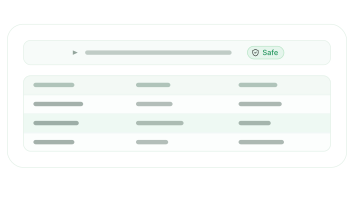


Run a full Lighthouse audit and trace the exact cause
Your AI analyzes performance scores, inspects the live DOM, cross-references active plugins, and identifies exactly what is dragging your score down.
AI Website Creator
Create Wordpress Websites with AI
AI Website Manager
SoonManage every site you run
WordPress MCP Plugin
Connect your site to AI agents
AI Website Creator
Create Wordpress Websites with AI
AI Website Manager
SoonManage every site you run
WordPress MCP Plugin
Connect your site to AI agents
Built for WordPress agencies who want AI to actually work. SproutOS connects any AI agent directly to your site via MCP. Run PHP, access the database, manage files, call any plugin API. Deep access that wasn't possible before.
Not code suggestions. Real actions, grounded in your actual WordPress stack.
Your AI analyzes performance scores, inspects the live DOM, cross-references active plugins, and identifies exactly what is dragging your score down.
One ask. Full backup. Safe rollback if anything breaks.
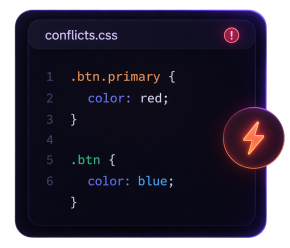
Trace script errors, style conflicts, and plugin clashes across your themes and plugins. Then fix them automatically.
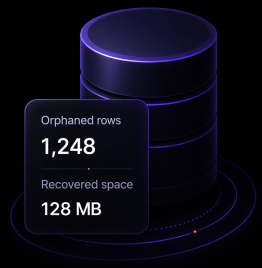
Find and remove orphaned records, expired transients, and table bloat. Every deletion is logged.
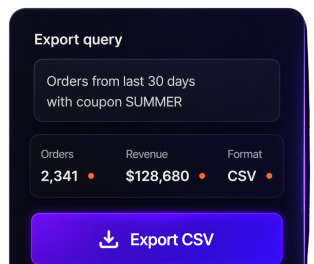
Ask for any report in plain English. Orders, customers, products, coupons exported instantly.
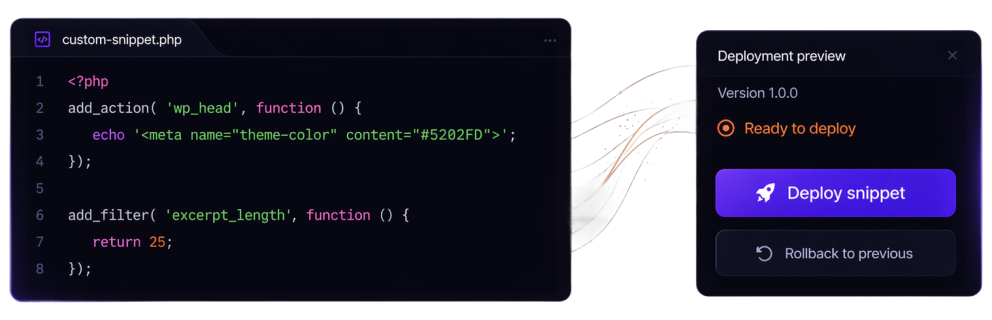
Describe behavior. Your AI writes, sandboxes, previews, and deploys the snippet with rollback ready.
Not a fixed set of buttons. A full language. Your AI learns your stack and gets things done on its own.
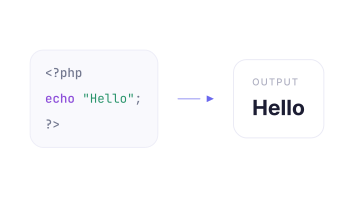
Run PHP directly inside your live WordPress environment. Access hooks, use any plugin or theme API, and execute real code against your actual site.
Read, edit, write, and delete files anywhere across your WordPress filesystem. Themes, plugins, templates full access.
Inspect, query, and update your WordPress database. The AI understands your data structure before it touches anything. Clean data, fix issues, migrate content.
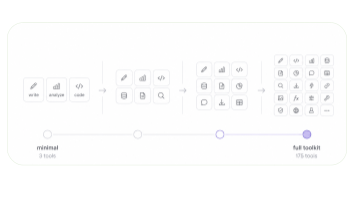
Four Capability Profiles let you control how much of the toolkit your AI sees upfront. Start minimal for fast sessions, open up fully when you need the depth.
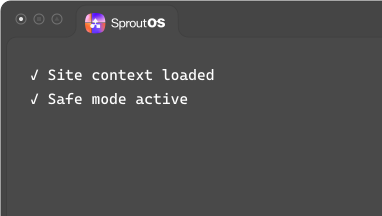
Enable Safe Mode to audit and explore a site without making changes. The AI can read everything, but cannot execute, write, or modify anything.
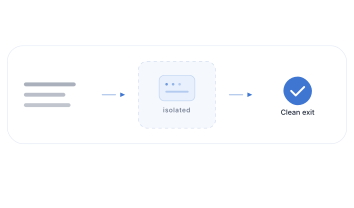
All AI-generated code runs in a secure sandbox first, isolated from your live WordPress install with rollback support and crash protection.

Every AI-generated snippet runs in a managed sandbox, crash-guarded and isolated from your core installation. Safe Mode locks the AI to read-only. The Ability Manager gives you full control over every permission. You stay in control of exactly what runs.
SproutOS sets up four memory cards the moment you install. Fill them in yourself or ask the agent to fill them for you. Every agent reads them before it does anything. No briefing. No repeating yourself.
What you are working on. Fill this in to give every agent immediate context.
How you want the AI to work. Add team conventions, design rules, and hard constraints here.
Who this site is for. Audience, brand, business goals, and personal preferences for how the AI works with you.
Pointers to your brand guide, content style guide, and any external systems.
As agents work on your site, they suggest new memories. You approve before anything goes live.
Every memory is editable from your dashboard. Change a rule or update your brand voice in seconds.
Mark any memory as Always applied and the agent reads it before every conversation starts.
You always know what the agent is working from and what needs your attention.
All included. All free. Grows with every plugin that adds AI abilities.

Posts, pages, users, media, menus, options, settings, CPTs, taxonomies

Products, orders, coupons, inventory, categories, reports. Loads automatically when WooCommerce is active.

Page editing, widget access, global styles, template management, section structure

Elements, templates, styles, query loops, design system, nestable layout tools

Block editing, Full Site Editing, patterns, templates, block theme support
Filesystem
Builder Tools
Total abilities
All included. All free. Grows with every WordPress 7.0 plugin that adds AI abilities.
Install once. Connect once. Then talk to your site like a senior developer is always on call.
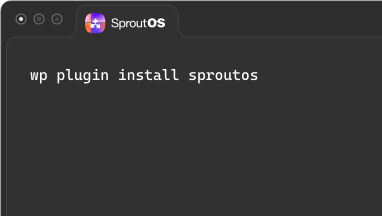
Download from GitHub and install on any WordPress site. Enable AI Abilities in Settings → SproutOS. A visual indicator appears in your admin bar so you always know when AI is active.
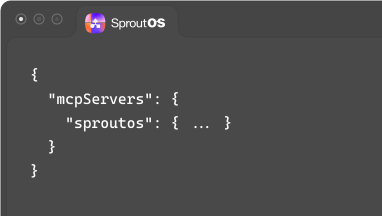
SproutOS generates a ready-to-paste config snippet from your dashboard. Add it to Claude, Cursor, VS Code, or any MCP client and you are connected. Secure authentication is handled automatically.
Your AI scans your full WordPress stack, learns what is installed, and gets to work. It adapts to your site automatically. Zero extra configuration. Zero plugin-specific setup.
Every task below used to eat hours. Now it takes one prompt.

UpdraftPlus + AI
Tell your AI to check for plugin updates each morning, take a full UpdraftPlus backup first, then apply updates one by one and verify the site after each one.
Database
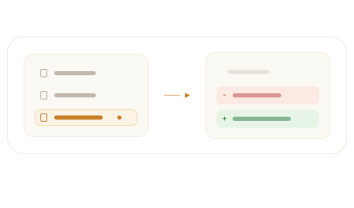
Find abandoned post revisions, orphaned metadata, expired transients, and spam comments. AI audits, reports, and cleans in one run with a full diff before applying.
Automation
Run a complete site health check on demand. Uptime status, pending updates, database size, broken links, and disk usage, delivered as a clear summary.
Media
Query all posts and pages without a featured image, get a full list by post type, and optionally assign placeholders or flag them for review.
SproutOS works at the PHP level. If a plugin is active in WordPress, your AI can already use it. No integrations, no extra setup.


















AI only does the wrong thing when you write the wrong prompt. Write clear, intentional prompts and SproutOS gives you more control than any manual workflow ever did.
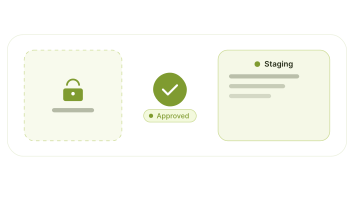
Install on a staging or dev environment first. Learn how prompts work, test your workflows, and build confidence. Enable Safe Mode so the AI reads everything but writes nothing until you are ready.
Run your real workflows on staging. Audit results, fix edge cases, refine your prompts. Use the Ability Manager to enable only what each task needs. Once a workflow is solid, you are ready.
Many agencies are already using SproutOS on live client sites. With tested prompts, proper access control, and a backup in place, there's nothing stopping you. The tool is ready. You just need to be.
Not doing any edits? Turn on Safe Mode. The AI can read everything, files, database, analytics, but cannot write, edit, or execute anything. Perfect for audits and exploration on any site, including live ones.
If you are running a new automated workflow or still refining your prompts, take a backup first. Once your workflows are proven, SproutOS can trigger it automatically for you.
Configure your MCP client to ask for approval before the AI runs anything. You see exactly what it is about to do, then allow or block. Full human oversight at every step.
All AI-generated code runs in an isolated sandbox before touching your site. Crash-guarded, rollbackable, and completely separate from your core WordPress installation.
Enable only what each task needs. Disable file writes, database access, or PHP execution independently. You control every permission, every time.
AI Abilities are disabled on install. Nothing is exposed until you deliberately turn it on.
Authentication requires a WordPress Application Password. Admin-level access only. No unauthenticated connections.
A persistent indicator in the admin bar is always visible when AI abilities are on. You always know what is active.
Every tool call is recorded with the ability name, user, risk level, and execution time. You always have a full history of what the AI did and when.
I’m Sagar Patel, founder of SproutOS.
For over 12 years, we have been building in the website creation ecosystem. We spent our first five years as a WordPress agency before creating five products that now power over 500,000 websites worldwide.
We felt the friction between client briefs, scattered tools, and production deadlines firsthand.
SproutOS was built to close that gap, combining structured systems with intelligent AI, so agencies can move from brief to launch-ready websites with clarity, control, and confidence.

“From brief to launch-ready, without chaos, guesswork, or scattered tools. AI moves fast. Systems make it sustainable. SproutOS brings both together.”

Sagar Patel
Founder, SproutOS
Questions are a good sign. Here are the answers agencies ask most.
MCP is the Model Context Protocol - the standard that lets AI clients talk to tools securely. With SproutOS you don't need to understand it. Install the plugin, point your AI client at the snippet from your dashboard, and start prompting.
Yes - though we recommend starting on staging. SproutOS includes Safe Mode, a granular Ability Manager, sandboxed execution, and one-click rollback. Many agencies are already running it on production sites.
Generic AI writes code in a vacuum. SproutOS gives the AI direct, sandboxed access to your live WordPress stack - plugins, theme, database, files. It can read context, test, deploy, and rollback against a real environment instead of guessing.
No. Most workflows are plain-English prompts. Coding knowledge helps if you want to extend the toolkit, but for everyday agency work you just describe what you want done.
Anything that speaks MCP - Claude Desktop, Cursor, VS Code, Windsurf, and any other MCP-compatible client. Setup is a copy-paste snippet from your dashboard, no extra integration work.
Yes. SproutOS works at the PHP level, so anything active in WordPress is available - Elementor, Bricks, Gutenberg, WooCommerce, ACF, and 175+ built-in abilities for the most popular plugins.
Every change runs in a sandbox first with crash protection. You get one-click rollback, full audit trails, and Safe Mode if you want zero writes. The Ability Manager lets you turn off any permission instantly.
Yes - the WordPress plugin is GPL open source and will stay free forever.
Create launch-ready WordPress sites from a client brief, then connect and manage every site you run, all in one place.
Get StartedSee Pricing